Note: Prices may vary depending on the desired lesson and seller.

The search keyword filter allows you to search the lesson catalogue by title. Multiple words or partial words may be used. Once a search term is entered, the visible catalogue will be reduced to lessons which contain the search term in their title.
Once this is done, you may further refine your search by filtering by area/discipline and level.
Please note the content author is not a subject of the search.
The area and discipline filter allows you to limit the visible catalogue to one or more areas and/or disciplines (as defined by the Victorian Curriculum codes) that align with your interests.
Areas are the parent categories of disciplines, and are distinguishable in the dropdown menu by larger bold text. Disciplines have a darker background and italicised text.
Where an area is selected, this will automatically include all the disciplines within it. Selection is cumulative and additional areas and/or disciplines can be selected, or can be removed from the selection by clicking the red 'x' in thr top right corner.
The level filtering presents as a series of checkboxes representing the different grade/year/skill levels that lessons in the currently visible catalogue are intended for. By default no filtering is applied, and content covering any level is included. When one or more checkboxes are checked, only content intended for the selected levels will be visible
The selectable levels will also adjust with other filtering being applied. For example, if there are no lessons within the current area/discipline selection or matching an entered search term intended for a particular level, then that level will not be selectable.
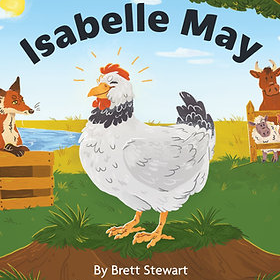
The cards that represent available lessons each have three interective areas.
clicking the Category opens a page with all available lesosns in that category.
Clicking the Title opens a page with information about this lesson.
Clicking the Add to cart button adds this lesson to the list you intend to purchase. After being added to your cart, the button will change to read 'Go to cart', and you can click the button to open your shopping cart.
Note: Prices may vary depending on the desired lesson and seller.